I Gave My AI Agent a Phone Number: Voice Calls Over 4G on a Raspberry Pi
How I connected a Claude-powered AI agent to a 4G cellular module on a Raspberry Pi, enabling real voice phone calls with speech-to-text, AI reasoning, and text-to-speech. The full technical build, from AT commands to production voice conversations.

Last night at 1 AM, my AI assistant called me on my actual phone. Not through an app. Not through a browser. A real cellular phone call, from a SIM card, through the Israeli mobile network. She greeted me, I asked her a question, she answered. We had a conversation. When I said goodbye, she hung up.
Her name is Katie. She runs my business operations through Telegram. She manages CRM, creates invoices, tracks inventory, nudges me when I’m avoiding paperwork. She lives on a Raspberry Pi 5 sitting on my desk. And now she can call me.
This is the story of how I wired a $15 cellular module to an AI agent and gave it the ability to make voice phone calls.
Why a phone call matters
I could have built a web app. I could have used WebRTC. I could have built a Telegram voice message feature. All of those would have been easier.
But I’m a solo founder who spends time driving between farms, meeting suppliers, visiting customers. When I’m behind the wheel, I can’t type. I can’t look at a screen. I need my hands on the wheel and my eyes on the road. What I can do is talk.
The idea was simple: I tell Katie on Telegram “call me.” She calls my phone through the cellular network. I give her tasks verbally while driving. She writes everything down, confirms each item, and after I hang up, she executes every task using her full set of tools and sends me the results on Telegram.
No app to install. No Bluetooth pairing. No internet dependency on my phone’s side. Just a phone call.
The hardware
The setup is minimal:
- Raspberry Pi 5 running Ubuntu, already hosting my agent system
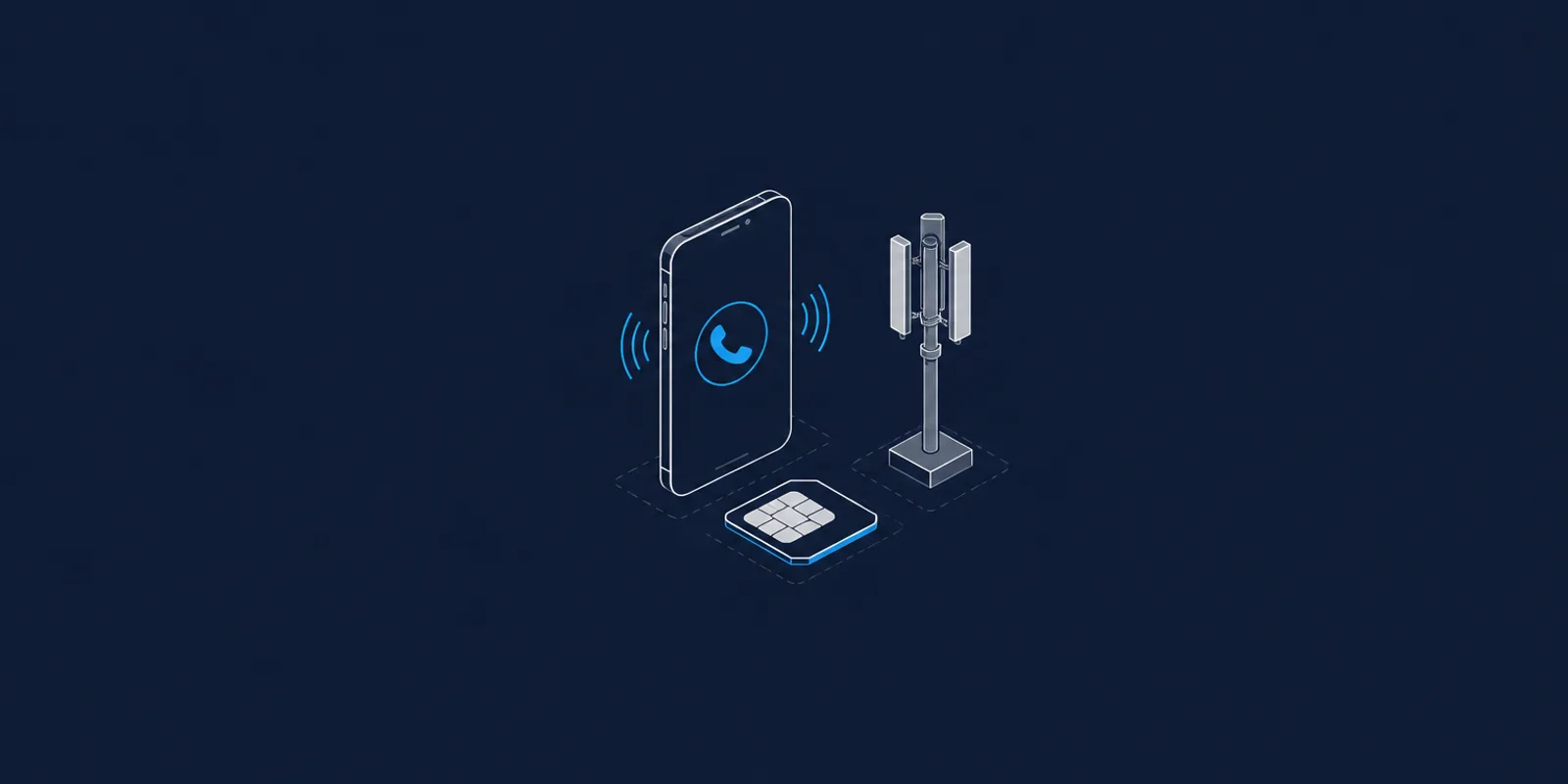
- SIM7600E-H 4G module connected via USB. It exposes five serial ports through a single USB cable
- Israeli SIM card with a real phone number
The SIM7600 is a cellular modem. It can make voice calls, send SMS, and provide 4G data. It costs about $15 on AliExpress. When you plug it into USB, it creates five /dev/ttyUSB ports. Two of them matter: one for AT commands (the old-school modem control language) and one for raw PCM audio data.
AT commands are how you talk to modems. They’ve been around since the 1980s. ATD+972XXXXXXXXX; dials a number. ATH hangs up. AT+CPCMREG=1 enables the USB audio channel. It feels like programming a time machine, but it works.
The audio pipeline
Making a call is the easy part. Getting voice in and out is where it gets interesting.
When a call is active and PCM audio is enabled, the modem streams raw audio data through one of its serial ports. This is uncompressed PCM: just a stream of 16-bit signed integers, one sample at a time. The modem on my unit runs at 16,000 samples per second (16kHz), which I discovered the hard way after hours of debugging chipmunk-speed audio.
The voice pipeline has four stages:
1. Record speech from the phone call. I read PCM frames from the serial port, measure the amplitude of each frame, and detect when someone starts and stops talking. When the amplitude drops below a threshold for 300 milliseconds, I consider the utterance complete.
2. Transcribe speech to text. The recorded PCM gets wrapped in a WAV header and sent to Deepgram’s Nova-2 speech-to-text API. This typically takes 1 to 1.5 seconds.
3. Generate a response. The transcript goes to Claude Sonnet with Katie’s full system prompt, including her business context, the current date and time, and the conversation history. Claude generates a response.
4. Convert text to speech and play it back. The response text goes to ElevenLabs for text-to-speech synthesis. The MP3 comes back, gets converted to PCM via ffmpeg at the correct sample rate, and gets written back to the modem’s audio port frame by frame.
Total round-trip latency: about 5 to 6 seconds from when you stop talking to when you hear the first word of the response. Not instantaneous, but usable. You learn to pause after speaking, like talking on a satellite phone.
The debugging that almost broke me
The SIM7600 module has a secret that no datasheet will tell you: it doesn’t have a fixed audio sample rate. Sometimes it runs at 8kHz. Sometimes at 16kHz. And if you reset it with AT+CRESET, the audio channel breaks entirely. The modem reports that PCM is enabled, but zero bytes flow through the audio port. The only recovery is a physical USB power cycle.
I spent hours fighting chipmunk voices. Audio playing at double speed, then at half speed. I tried three different modules. I tried different TTS engines. I tried different sample rates. Nothing made sense until I stopped guessing and actually measured. I wrote a script that counted raw bytes per second flowing from the audio port during an active call. The answer was 32,000 bytes per second, which at 16-bit mono is exactly 16,000 samples per second. Not the 8,000 Hz that every forum post and datasheet implied.
The lesson: when hardware behaves unexpectedly, measure. Don’t assume. Don’t read forums. Don’t try random values. Measure the actual signal and work backwards from reality.
I also learned that after every call, you need to properly disable the PCM channel (AT+CPCMREG=0) before hanging up (ATH). Skip that step and the next call’s audio channel comes up dead. The modem appears fine, AT commands work, the call connects, but silence. This took multiple call attempts and a lot of “can you hear me now?” moments to figure out.
Auto-detecting everything
Since the modem’s behavior isn’t deterministic, the final script auto-detects everything at the start of each call:
Which USB port is the AT command port? After a USB replug, the port numbers can shift. The script tries all five /dev/ttyUSB* ports, sends AT to each one, and uses the first port that responds with OK and identifies itself as a SIMCOM module.
What sample rate is the modem using? After enabling the PCM channel, the script measures bytes per second for two seconds. If it’s close to 16,000 bytes/sec, the sample rate is 8kHz. If it’s close to 32,000 bytes/sec, it’s 16kHz. The TTS engine and audio playback both use the detected rate.
No hardcoded assumptions. The script adapts to whatever state the modem is in.
The Telegram integration
The real magic isn’t the phone call itself. It’s what happens after.
When I send Katie “call me” on Telegram, here’s what happens:
- Katie’s Telegram bot detects the trigger phrase
- She replies “Calling you now, pick up!”
- The bot spawns the voice call script as a subprocess
- The voice script runs in task-collector mode: it greets me, listens to my requests, confirms each one, and asks if there’s anything else
- When I hang up, the script uses Claude to extract a structured list of tasks from the conversation transcript
- The task list gets written to a JSON file
- Katie’s Telegram bot reads the file, feeds the tasks to her normal Claude instance with full tool access
- She executes each task using her CRM tools, inventory commands, and API integrations
- She sends me the results on Telegram
I can be driving, say “check how many Genesis units we have in stock,” hang up, and by the time I park, there’s a Telegram message with the exact inventory count broken down by location.
The voice call is the input channel. Telegram is the output channel. Claude is the brain in between. And the 4G module is just a phone line that happens to be plugged into a computer.
What it sounds like
The voice quality is surprisingly good. ElevenLabs produces natural-sounding speech that doesn’t have the robotic quality of Google’s text-to-speech. On the receiving end of a phone call, through cellular audio compression, it sounds like talking to a real person with a slight delay.
Katie knows the time and date. She has my business context loaded. When I called her at 1 AM, she told me I should probably be sleeping. When I asked about stock, she said she’d handle it after we hung up. She’s direct, brief, and doesn’t waste words on a phone call. Exactly how you’d want an assistant to behave when you’re driving.
The whole system, from SIM card to AI brain, runs on a Raspberry Pi that costs less than one hour of a consultant’s time.
The stack
For anyone who wants to build something similar:
- Hardware: Raspberry Pi 5 + SIM7600E-H USB module + any SIM card
- Speech-to-Text: Deepgram Nova-2 (REST API, fast and accurate)
- AI: Claude Sonnet via Anthropic API
- Text-to-Speech: ElevenLabs Turbo v2.5 (natural voice, low latency)
- Audio conversion: ffmpeg for format conversion between MP3 and raw PCM
- Serial communication: pyserial for AT commands and PCM data
- Agent framework: Custom Python, Telegram bot for user interface
The voice call script is about 500 lines of Python. The Telegram integration adds another 100 lines to the existing agent infrastructure. No frameworks, no SDKs beyond the basics. Just serial ports, HTTP APIs, and careful state management.
What I learned
Building this taught me something about the current state of AI that I think most people miss. The individual components are all commodities. Speech-to-text, language models, text-to-speech. Anyone can call these APIs. The value isn’t in any single component.
The value is in the wiring. Knowing that AT+CPCMREG=0 must come before ATH. Knowing that the sample rate changes after a modem reset. Knowing that a Telegram bot’s async event loop can’t directly call a synchronous serial port operation. Knowing that sudo creates files that the bot user can’t read. These are the unglamorous details that determine whether a demo becomes a product.
Every interesting AI application I’ve seen shares this pattern. The AI part is maybe 20% of the work. The other 80% is plumbing, edge cases, error handling, and making things work reliably in the real world. The modem doesn’t care that you’re using the latest language model. It cares that you send PCM frames at exactly 20-millisecond intervals with the correct byte order.
I think the founders who will win with AI aren’t the ones building the most sophisticated prompts. They’re the ones willing to debug AT commands at midnight, measure byte rates from serial ports, and write cleanup code that handles every possible failure mode. The boring stuff. The stuff that makes it actually work.
Katie has a phone number now. She can call me. I can call her back. And when I’m driving between farms, I can run my business with my voice.
That’s not the future. That’s Tuesday night.